 Viewer
Your customers turn itbefore they buy it.
Upload the 3D file you already have. It becomes a viewer that sits on your product page and opens in AR in their own room.
Now turn one yourself
AR without an app
The same link opens in AR on iPhone and on Android, so the product stands on the customer's own floor at its real size.
Every colourway in one viewer
The customer switches material without leaving the page, so a single embed covers the range instead of one photo covering one version.
A link, or an iframe
Paste it into a product page or a storefront. No plugin at your end and none at theirs.
From your file to their screen.
Upload the file you already have. What comes back is a link and an embed code.
Guided setup
Five screens in order, with the decisions already narrowed. You are never handed a control you do not need yet.
Full editor
The whole scene at once: hierarchy, lights, cameras, materials, hotspots, animation. Nothing is hidden and nothing is decided for you.
The same viewer comes out of both, and a project begun in one can be finished in the other.
A chair, a gearbox, a shoe.
Three trades with nothing in common except what they start from.
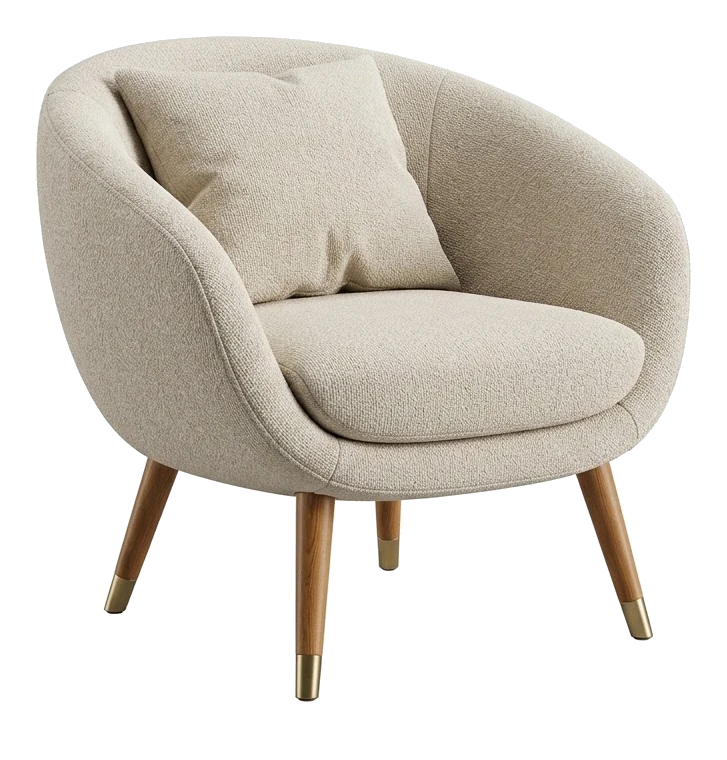
Furniture and home
Turn it, look at the weave up close, then stand it in the customer's room before a single unit ships.

Industrial equipment
No demo unit to crate and send. A buyer turns the housing, hides a part and looks at what sits under it. Your STEP and IGES files go straight in.
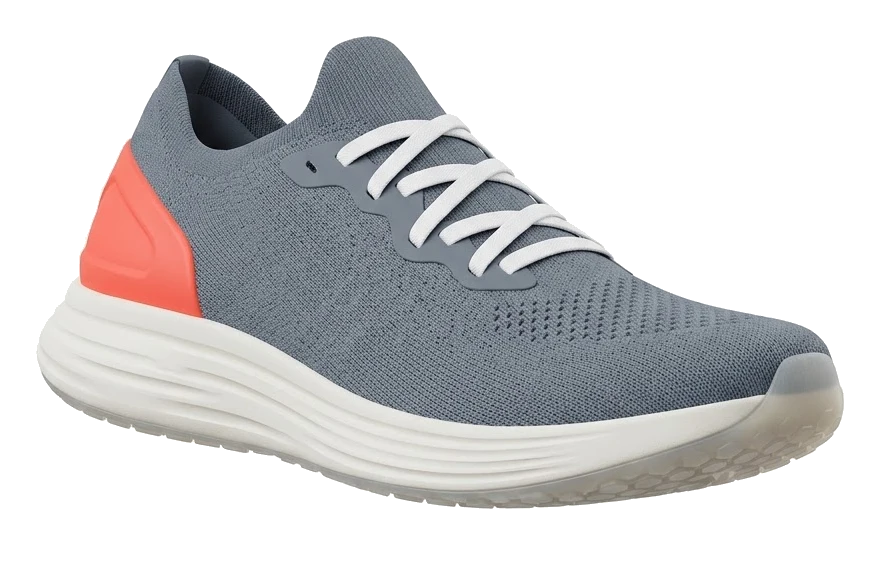
Footwear and apparel
One model, every colourway. Materials swap on the spot instead of going back to the photographer.
No 3D model yet?
For a whole catalogue, we model it for you and publish it on your account. For one product, start from a photo on a board.
One line, on the page you already have.
Publish the viewer and you are given a link and an iframe. Paste it into a product page, a storefront theme or a CMS block. No plugin at your end and none at theirs.
See which finish they choose.
Every viewer counts what happens in it: how many open it, who stands it in their room, which finish they try and which one is still on when they leave.
Analytics · Modern Lounge Chair
Views
1,393
+12% on the month before
AR sessions
212
placed in a room at real size
Median session
1m 52s
time with the product on screen
Daily average
46
views a day
Views over the month
Every time the viewer is opened on your page.
Variants, tried and kept
Kept is the one still on when they left. Tried often and rarely kept: it attracts, then disappoints.
When they look
Busiest on Thursday at 21:00. Lunch breaks on weekdays, evenings every day.
Devices
Lead with the finish they keep
The variant still on when they leave is the one to photograph first, stock deeper and show at the top of the page.
Find what disappoints
A finish tried far more often than it is kept is worth a second look: the price, the render, the description.
Know when they shop
The hours and the devices say when to post, and which screen to check the page on first.
On Custom the whole panel is yours from the first day: AR sessions, the hours, and the finishes they keep. Talk to us.
On their floor, at its real size.
The same link opens in AR on iPhone and on Android, straight from the browser. The customer points the camera at the floor and the product stands there, at the size it will arrive.
- No app to install, at your end or theirs.
- Floor for furniture and equipment, wrist for a watch.
- The same viewer, the same link: AR is a button inside it.
Fair questions.
We are a company with a whole catalogue. Which plan?
None of the self-serve plans: talk to us about Custom. We model the catalogue, publish it on your account and set up your viewers, then your team adds new finishes on its own. One conversation, one price for the whole range.
Which files can I upload?
GLB, GLTF, FBX and OBJ, and CAD files in STEP or IGES. If you have no files, we model the catalogue for you; for a single product, start from a photo in Boards.
Do my customers need an app?
No. The same link opens in AR on iPhone and on Android, straight from the browser.
How does it get onto my site?
As a link, or an iframe you paste into a product page or a storefront. No plugin at your end and none at theirs.
Can one viewer show the whole range?
Yes. Materials, colours and variants live in the same viewer, and the customer switches between them without leaving the page.
Ready when you are.
Tell us about your catalogue: we model it, publish it and hand your team the keys.